Free AI Noise Reducer: Remove Background Noise Online for Any Audio
Eliminate background noise instantly with AI Noise Reduction. Crystal-clear audio, zero distractions, and a seamless listening experience in seconds.
AI Noise Reduction
Input


Click or drag to upload files
Audio formats: MP3, AAC, ARM, M4A, WAV. Upload limit: 20 mins.
Settings

Remove Noise

Remove Long Silences

Remove Mouth Sounds

Eliminate Hesitations

Remove Stuttering

Filler Words

Keep Music

Remove Breath

Normalize

Studio Sound
Export format
Why Choose FineVoice Background Noise Remover
Remove background noise from your audio recordings effortlessly with FineVoice AI Noise Reducer. Powered by advanced AI technology, it quickly eliminates unwanted sounds such as keyboard clicks, traffic, wind, or chatter, ensuring your voice remains clear and professional. Whether you're working on podcasts, meetings, lectures, or videos, FineVoice helps your message come through without distractions.
Automatically filter out noise such as background chatter, wind, and mechanical sounds, ensuring consistent audio quality across diverse scenarios.
Reduce noise with a single click—no software downloads or technical expertise required, streamlining your workflow and saving valuable time.
Remove unwanted noise while enhancing audio quality, delivering professional and natural-sounding results.
Efficiently clean up background noise from up to 5 audio files at once, allowing you to process multiple recordings quickly and conveniently.
Support multiple audio formats, including MP3, WAV, M4A, AAC, and ARM.
Audio files are processed securely using encryption and are automatically deleted after processing, ensuring complete protection of user privacy and data.
Trusted by Leading Enterprises and Media






Experience High-Quality Noise Reduction with AI
Automatically remove background noise from your audio files and achieve crystal-clear sound in just seconds with FineVoice's AI-driven noise reduction. Eliminate wind, traffic, hiss, or crowd sounds, and upgrade your recordings to professional-grade quality. Try our sample audio to hear the difference—discover how seamless and clean your sound can be after removing unwanted noise!
Before
00:00/00:00
After
00:00/00:00
AI-Powered Batch Noise Reduction for Crystal-Clear Audio with FineVoice
FineVoice AI Noise Reducer makes it simple to achieve clear, professional audio for any project, with powerful features and easy operation.

Batch Noise Reduction
FineVoice AI noise remover features powerful batch processing, enabling you to clean up background noise from multiple audio files at once. Whether you're working on podcast series, video projects, or large-scale recordings, this capability saves you time and ensures consistent, high-quality sound across all your files.

Versatile Noise Removal
Effectively eliminate a wide range of unwanted sounds—including wind, rain, hums, chatter, and other distractions. FineVoice's advanced AI intelligently detects and removes these noises, so your recordings stay clear, focused, and interruption-free in any environment.

One-Click Processing
Experience hassle-free noise reduction with just one click. Upload your audio files and let FineVoice do the rest—no technical expertise required. The intuitive interface makes it easy for anyone to achieve professional-quality audio, streamlining your workflow and saving valuable time.

High-Fidelity Sound Quality
FineVoice preserves the natural richness and clarity of your audio while removing background noise, consistently delivering professional-grade results. You can rely on FineVoice to maintain the authentic sound of voices and music, ensuring your final output is clean, vibrant, and true to the original.
How to Remove Background Noise from Audio
Removing background noise from audio is quick and easy with FineVoice AI Noise Reducer. Just follow these simple steps to achieve clear, high-quality sound instantly.
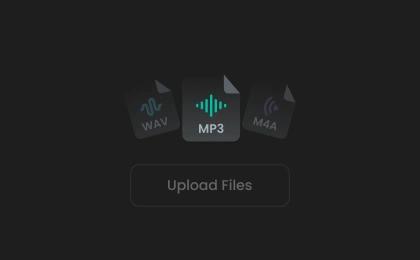
Add Audio File(s)
Click or drag to upload your audio files to the AI noise reduction tool, or record audio directly on the website.
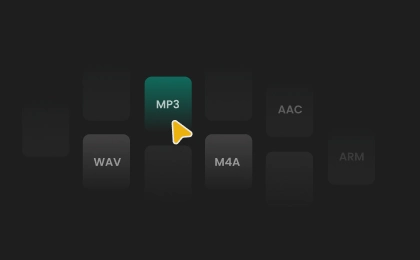
Select an Output Format
The "Remove Noise" feature is enabled by default. You can toggle other options as needed and choose your export format: Auto, MP3, WAV, FLAC, or M4A.
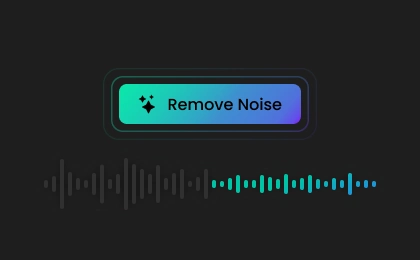
Remove Noise from Audio
Click "Enhance" to clean up your audio. Preview the result and save it to your device. (Note: Free users cannot download export files.)
Elevate Your Content Creation with AI Noise Reduction
Unlock the potential of crystal-clear audio across podcasts, interviews, courses, and music demos with AI-driven noise reduction, transforming your content into a truly professional experience.
Podcast Post-Editing
Voiceover and Narration Cleanup
Interview Audio Enhancement
Online Course Audio Optimization
Music Demo Noise Reduction
Podcast Post-Editing
After recording a podcast episode, FineVoice AI Noise Reducer can be used to remove background sounds like traffic or air conditioning, resulting in clear, professional-quality audio that keeps your listeners engaged.
Discover More Specialized AI Noise Reduction Tools
More Than Just an AI Noise Reducer
What Our Users Say
Join millions of users worldwide. See what people are saying about FineVoice AI Noise Reducer.
'%20fill-opacity='0.1'/%3e%3cpath%20d='M38.5%205.48438C42.9958%202.88879%2048.5025%202.80791%2053.0615%205.24121L53.5%205.48438L77.3369%2019.2471C81.9778%2021.9265%2084.8368%2026.8784%2084.8369%2032.2373V59.7627C84.8368%2065.1216%2081.9778%2070.0735%2077.3369%2072.7529L53.5%2086.5156C49.0042%2089.1112%2043.4975%2089.1921%2038.9385%2086.7588L38.5%2086.5156L14.6631%2072.7529C10.0222%2070.0735%207.16319%2065.1216%207.16309%2059.7627V32.2373C7.16319%2026.8784%2010.0222%2021.9265%2014.6631%2019.2471L38.5%205.48438Z'%20stroke='url(%23paint1_linear_5938_70462)'%20stroke-opacity='0.1'%20stroke-width='2'/%3e%3cpath%20d='M61.4067%2044.2443C59.2275%2046.9016%2055.3465%2051.3084%2055.3465%2051.3084C55.3465%2051.3084%2055.9691%2056.1361%2056.3427%2059.4356C56.5086%2061.1186%2055.2841%2061.8494%2053.9144%2061.185C51.2994%2059.8785%2047.3145%2057.8412%2046.4221%2057.376C45.5089%2057.8191%2041.5033%2059.8342%2038.8675%2061.1407C37.4769%2061.7829%2036.2524%2061.0743%2036.3977%2059.3913C36.7505%2056.0916%2037.3939%2051.2862%2037.3939%2051.2862C37.3939%2051.2862%2033.4713%2046.9016%2031.2714%2044.2442C30.4828%2043.2698%2031.0016%2041.8969%2032.5374%2041.6533C35.6921%2041.0554%2040.5694%2040.1031%2040.5694%2040.1031C40.5694%2040.1031%2043.2467%2035.187%2044.9278%2032.1753C45.8618%2030.3373%2046.5051%2030.5587%2046.6089%2030.603C46.8995%2030.6916%2047.3561%2031.0681%2047.9372%2032.1753C49.5976%2035.187%2052.2334%2040.1032%2052.2334%2040.1032C52.2334%2040.1032%2057.0485%2041.0554%2060.1616%2041.6533C61.6767%2041.8969%2062.1747%2043.292%2061.4067%2044.2443Z'%20fill='url(%23paint2_linear_5938_70462)'/%3e%3cdefs%3e%3clinearGradient%20id='paint0_linear_5938_70462'%20x1='46'%20y1='0'%20x2='46'%20y2='92'%20gradientUnits='userSpaceOnUse'%3e%3cstop%20stop-color='white'/%3e%3cstop%20offset='1'%20stop-color='white'%20stop-opacity='0.2'/%3e%3c/linearGradient%3e%3clinearGradient%20id='paint1_linear_5938_70462'%20x1='46'%20y1='0'%20x2='46'%20y2='92'%20gradientUnits='userSpaceOnUse'%3e%3cstop%20stop-color='white'/%3e%3cstop%20offset='1'%20stop-color='white'%20stop-opacity='0'/%3e%3c/linearGradient%3e%3clinearGradient%20id='paint2_linear_5938_70462'%20x1='46.3348'%20y1='30.5714'%20x2='46.3348'%20y2='61.4286'%20gradientUnits='userSpaceOnUse'%3e%3cstop%20offset='0.361862'%20stop-color='%2302BEA0'/%3e%3cstop%20offset='1'%20stop-color='%2301584A'/%3e%3c/linearGradient%3e%3c/defs%3e%3c/svg%3e)
4.5
TrustScore
'%20fill-opacity='0.1'/%3e%3cpath%20d='M38.5%205.48438C42.9958%202.88879%2048.5025%202.80791%2053.0615%205.24121L53.5%205.48438L77.3369%2019.2471C81.9778%2021.9265%2084.8368%2026.8784%2084.8369%2032.2373V59.7627C84.8368%2065.1216%2081.9778%2070.0735%2077.3369%2072.7529L53.5%2086.5156C49.0042%2089.1112%2043.4975%2089.1921%2038.9385%2086.7588L38.5%2086.5156L14.6631%2072.7529C10.0222%2070.0735%207.16319%2065.1216%207.16309%2059.7627V32.2373C7.16319%2026.8784%2010.0222%2021.9265%2014.6631%2019.2471L38.5%205.48438Z'%20stroke='url(%23paint1_linear_5938_70465)'%20stroke-opacity='0.1'%20stroke-width='2'/%3e%3cpath%20d='M31%2040.856H35.5V59H31C30.8022%2058.9992%2030.6066%2058.9595%2030.4241%2058.8831C30.2417%2058.8066%2030.0762%2058.6951%2029.9369%2058.5547C29.7976%2058.4143%2029.6873%2058.2478%2029.6123%2058.0648C29.5374%2057.8818%2029.4992%2057.6858%2029.5%2057.488V42.368C29.5%2041.531%2030.172%2040.856%2031%2040.856ZM38.938%2038.9L48.538%2029.222C48.6648%2029.0927%2048.8343%2029.014%2049.0149%2029.0007C49.1955%2028.9875%2049.3747%2029.0406%2049.519%2029.15L50.8%2030.119C51.1559%2030.3895%2051.4244%2030.7587%2051.5722%2031.1806C51.7199%2031.6025%2051.7404%2032.0585%2051.631%2032.492L49.9%2039.344H59.5C61.156%2039.344%2062.5%2040.694%2062.5%2042.368V45.548C62.5%2045.944%2062.422%2046.334%2062.275%2046.7L57.631%2058.064C57.519%2058.34%2057.3274%2058.5764%2057.0806%2058.7431C56.8337%2058.9098%2056.5429%2058.9992%2056.245%2059H40C39.8022%2058.9992%2039.6066%2058.9595%2039.4241%2058.8831C39.2417%2058.8066%2039.0762%2058.6951%2038.9369%2058.5547C38.7976%2058.4143%2038.6873%2058.2478%2038.6124%2058.0648C38.5374%2057.8818%2038.4992%2057.6858%2038.5%2057.488V39.968C38.5%2039.569%2038.659%2039.182%2038.938%2038.9Z'%20fill='url(%23paint2_linear_5938_70465)'/%3e%3cdefs%3e%3clinearGradient%20id='paint0_linear_5938_70465'%20x1='46'%20y1='0'%20x2='46'%20y2='92'%20gradientUnits='userSpaceOnUse'%3e%3cstop%20stop-color='white'/%3e%3cstop%20offset='1'%20stop-color='white'%20stop-opacity='0.2'/%3e%3c/linearGradient%3e%3clinearGradient%20id='paint1_linear_5938_70465'%20x1='46'%20y1='0'%20x2='46'%20y2='92'%20gradientUnits='userSpaceOnUse'%3e%3cstop%20stop-color='white'/%3e%3cstop%20offset='1'%20stop-color='white'%20stop-opacity='0'/%3e%3c/linearGradient%3e%3clinearGradient%20id='paint2_linear_5938_70465'%20x1='46'%20y1='28.9987'%20x2='46'%20y2='59'%20gradientUnits='userSpaceOnUse'%3e%3cstop%20offset='0.361862'%20stop-color='%2302BEA0'/%3e%3cstop%20offset='1'%20stop-color='%2301584A'/%3e%3c/linearGradient%3e%3c/defs%3e%3c/svg%3e)
95%
User Satisfaction

10M+
Users Worldwide
 Rated 5
I’ve tried multiple noise reduction apps, but FineVoice is the only one that consistently delivers professional results. I used it to clean up a Zoom call recording that had a persistent hum and some chatter in the background. The AI did a fantastic job separating my voice from the noise without making it sound robotic. Highly recommended for anyone needing reliable audio cleanup!
@Michael ThompsonNov 28, 2025
Rated 5
FineVoice makes editing my podcast episodes much easier by removing background noise without affecting voice quality. My recordings sound noticeably better and more professional, and I appreciate how quickly and effectively it cleans up the audio.
@Sarah NguyenNov 29, 2025
Rated 5
I’m a video creator and often film outdoors, so wind noise is a constant problem. FineVoice handled it perfectly—my narration was clear, and all the distracting wind sounds vanished. The processing is fast, and the results are impressive. I also appreciate the web-based platform, which means I can use it on my laptop and phone.
@Daniel BrooksDec 3, 2025
Rated 5
I was skeptical at first, but FineVoice’s AI noise reducer really works. I uploaded a recording from a busy cafe, and it removed the clinking dishes and background chatter without making my voice sound unnatural. The audio quality is so much better now, and it saved me hours of manual editing. Great job to the developers!
@Olivia BennettDec 6, 2025
Rated 5
As someone who does remote interviews for my YouTube channel, FineVoice has been a game-changer. It removes hums, echoes, and even subtle noises I didn’t notice before. The final audio is clean and professional, which helps my videos stand out. Plus, the free version is generous enough for short projects.
@Ryan PatelDec 7, 2025
Rated 5
FineVoice does an excellent job with noise reduction and is very user-friendly. My only complaint is that the free version limits you to five minutes of audio, which isn’t enough for longer projects. Still, the quality of the processed files is top-notch, and I would recommend it to anyone needing quick fixes for shorter recordings.
@Lauren MitchellDec 7, 2025
Rated 5
I used FineVoice to clean up a group discussion recorded in a noisy office. Most of the background sounds were removed, but a few faint noises remained in the final file. Overall, the tool is effective and easy to use, but it’s not perfect for extremely noisy environments. I’d still use it for general audio cleanup.
@Ethan WilsonDec 15, 2025
 Rated 4
FineVoice quickly improved my voice recordings by removing background noise. I just wish there were more enhancement options available for free users.
@Emily ParkerDec 12, 2025
Rated 3
FineVoice is decent for simple voice recordings, but I found it less effective with music tracks. After noise reduction, my song lost some of its richness and depth. It’s a good tool for podcasts or interviews, but if you’re working with music, you might want to look for something more specialized. The interface is easy to use, though.
@James LeeNov 30, 2025
FAQs About FineVoice AI Noise Reducer
 FineVoice
Try the Best AI Noise Reduction for Free
Effortlessly remove background noise and enjoy crystal-clear sound quality. Experience professional audio results instantly with the best AI noise reduction software—free to use!
FineVoice did a great job removing wind and traffic noise from my outdoor interview. The interface is simple, and my audio sounded much clearer and more professional after processing. Highly recommended for anyone needing clean recordings.
@Jessica CarterNov 26, 2025