AI Audio Fixer Online Free
FineVoice AI Audio Fixer breathes life into poor-quality audio, delivering professional studio-grade sound.
AI Audio Fixer
Input


Click or drag to upload files
Audio formats: MP3, AAC, ARM, M4A, WAV. Upload limit: 20 mins.
Settings

Remove Noise

Remove Long Silences

Remove Mouth Sounds

Eliminate Hesitations

Remove Stuttering

Filler Words

Keep Music

Remove Breath

Normalize

Studio Sound
Export format
Why Choose FineVoice AI Audio Fixer
FineVoice AI Audio Fixer quickly transforms poor-quality audio into studio-grade sound. Using advanced AI, it automatically removes background noise, corrects distortion, balances volume, and improves clarity. Enjoy professional results in seconds—no audio editing experience required.
Streamlines audio enhancement with a simple, user-friendly interface, allowing anyone to fix audio instantly—no technical skills required.
Works with popular formats like MP3, AAC, ARM, M4A, and WAV, and lets you effortlessly export to MP3, WAV, FLAC, or M4A.
Transforms poor-quality recordings into polished, clear audio that sounds crisp and natural.
Intelligently detects and resolves common audio problems, including noise, distortion, and uneven volume, without manual intervention, ensuring seamless audio repair.
Process up to 5 audio files simultaneously, saving time and boosting productivity with efficient batch capabilities.
Automatically removes background noise, corrects distortion, balances volume, and enhances clarity for consistently cleaner, studio-grade sound.
Trusted by Leading Enterprises and Media






Unleash the Magic of FineVoice Audio Fixer AI
Experience the transformation with our AI audio repair tool—listen to before-and-after clips and hear the difference as your sound becomes crystal clear.
Original
00:00/00:00
Repaired
00:00/00:00
Instantly Get Your Audio Fixed with FineVoice
Effortlessly improve and export your audio with FineVoice AI audio fixer. Instantly repair bad recordings, batch process files, and enjoy broad format support—making audio fixing fast and hassle-free.

Fix Bad Audio with AI in Seconds
FineVoice AI Audio Fixer quickly identifies and resolves common audio issues—such as background noise, distortion, and uneven volume. With just one click, you can enhance sound quality and clarity in moments, making your recordings instantly more enjoyable and easier to understand without manual editing.

Fix Audio Quality in Batches
Save time and boost productivity by processing up to five audio files at once. FineVoice’s batch capability lets you repair multiple recordings simultaneously, streamlining your workflow for projects like group interviews, lecture series, or podcast episodes. Enjoy consistently improved sound quality across all your files with just a few clicks.

Export Studio-Quality Sounds
FineVoice AI Audio Fixer transforms poor-quality recordings into polished, clear audio that sounds crisp and natural. Whether you're working with lectures, podcasts, or music, the tool enhances clarity and eliminates distracting imperfections, making your audio easy to listen to and ready for sharing or further editing.

Support Various Audio Formats
FineVoice works seamlessly with popular audio formats, including MP3, AAC, ARM, M4A, and WAV. You can effortlessly import files and export your enhanced audio to MP3, WAV, FLAC, or M4A, ensuring compatibility with your favorite devices and platforms for easy sharing, publishing, or archiving.
How to Use AI to Fix Audio Quality
FineVoice AI Audio Fixer is designed to be easy to use for everyone. Follow the 3 simple steps to fix your bad-quality, clipped, or distorted audio files.
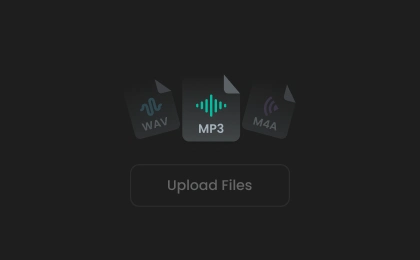
Add Audio File(s)
Click or drag to upload your audio files to the AI audio quality fixer tool, or record audio directly on the website.
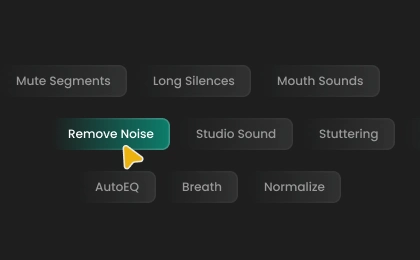
Set Output Preferences
Enable features like "Remove Noise", "Studio Sound", or "Normalize" as needed. Then choose your export format: Auto, MP3, WAV, FLAC, or M4A.
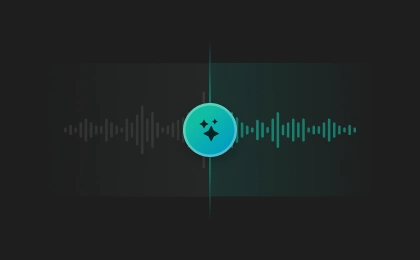
Fix Audio with AI
Click "Enhance" to fix and enhance your audio. Preview the result and save it to your device. (Note: Free users cannot download export files.)
FineVoice AI Audio Fixer: Transform Your Sound with Precision
Effortlessly remove noise, balance levels, and deliver professional-grade results in minutes, whether you're producing podcasts, creating video content, refining meeting recordings, or perfecting music and voice tracks.
Enhance Podcasts
Clean Up Video Audio
Improve Meeting Recordings
Perfect Music and Voiceovers
Enhance Podcasts
Enhance voice clarity by removing background noise, echoes, or distortion, ensuring a professional and engaging listening experience for your audience.
Discover More Specialized AI Audio Fixer Tools
More Than Just an AI Audio Fixer
What Our Users Say
Join millions of users worldwide. See what people are saying about FineVoice AI Audio Fixer.
'%20fill-opacity='0.1'/%3e%3cpath%20d='M38.5%205.48438C42.9958%202.88879%2048.5025%202.80791%2053.0615%205.24121L53.5%205.48438L77.3369%2019.2471C81.9778%2021.9265%2084.8368%2026.8784%2084.8369%2032.2373V59.7627C84.8368%2065.1216%2081.9778%2070.0735%2077.3369%2072.7529L53.5%2086.5156C49.0042%2089.1112%2043.4975%2089.1921%2038.9385%2086.7588L38.5%2086.5156L14.6631%2072.7529C10.0222%2070.0735%207.16319%2065.1216%207.16309%2059.7627V32.2373C7.16319%2026.8784%2010.0222%2021.9265%2014.6631%2019.2471L38.5%205.48438Z'%20stroke='url(%23paint1_linear_5938_70462)'%20stroke-opacity='0.1'%20stroke-width='2'/%3e%3cpath%20d='M61.4067%2044.2443C59.2275%2046.9016%2055.3465%2051.3084%2055.3465%2051.3084C55.3465%2051.3084%2055.9691%2056.1361%2056.3427%2059.4356C56.5086%2061.1186%2055.2841%2061.8494%2053.9144%2061.185C51.2994%2059.8785%2047.3145%2057.8412%2046.4221%2057.376C45.5089%2057.8191%2041.5033%2059.8342%2038.8675%2061.1407C37.4769%2061.7829%2036.2524%2061.0743%2036.3977%2059.3913C36.7505%2056.0916%2037.3939%2051.2862%2037.3939%2051.2862C37.3939%2051.2862%2033.4713%2046.9016%2031.2714%2044.2442C30.4828%2043.2698%2031.0016%2041.8969%2032.5374%2041.6533C35.6921%2041.0554%2040.5694%2040.1031%2040.5694%2040.1031C40.5694%2040.1031%2043.2467%2035.187%2044.9278%2032.1753C45.8618%2030.3373%2046.5051%2030.5587%2046.6089%2030.603C46.8995%2030.6916%2047.3561%2031.0681%2047.9372%2032.1753C49.5976%2035.187%2052.2334%2040.1032%2052.2334%2040.1032C52.2334%2040.1032%2057.0485%2041.0554%2060.1616%2041.6533C61.6767%2041.8969%2062.1747%2043.292%2061.4067%2044.2443Z'%20fill='url(%23paint2_linear_5938_70462)'/%3e%3cdefs%3e%3clinearGradient%20id='paint0_linear_5938_70462'%20x1='46'%20y1='0'%20x2='46'%20y2='92'%20gradientUnits='userSpaceOnUse'%3e%3cstop%20stop-color='white'/%3e%3cstop%20offset='1'%20stop-color='white'%20stop-opacity='0.2'/%3e%3c/linearGradient%3e%3clinearGradient%20id='paint1_linear_5938_70462'%20x1='46'%20y1='0'%20x2='46'%20y2='92'%20gradientUnits='userSpaceOnUse'%3e%3cstop%20stop-color='white'/%3e%3cstop%20offset='1'%20stop-color='white'%20stop-opacity='0'/%3e%3c/linearGradient%3e%3clinearGradient%20id='paint2_linear_5938_70462'%20x1='46.3348'%20y1='30.5714'%20x2='46.3348'%20y2='61.4286'%20gradientUnits='userSpaceOnUse'%3e%3cstop%20offset='0.361862'%20stop-color='%2302BEA0'/%3e%3cstop%20offset='1'%20stop-color='%2301584A'/%3e%3c/linearGradient%3e%3c/defs%3e%3c/svg%3e)
4.5
TrustScore
'%20fill-opacity='0.1'/%3e%3cpath%20d='M38.5%205.48438C42.9958%202.88879%2048.5025%202.80791%2053.0615%205.24121L53.5%205.48438L77.3369%2019.2471C81.9778%2021.9265%2084.8368%2026.8784%2084.8369%2032.2373V59.7627C84.8368%2065.1216%2081.9778%2070.0735%2077.3369%2072.7529L53.5%2086.5156C49.0042%2089.1112%2043.4975%2089.1921%2038.9385%2086.7588L38.5%2086.5156L14.6631%2072.7529C10.0222%2070.0735%207.16319%2065.1216%207.16309%2059.7627V32.2373C7.16319%2026.8784%2010.0222%2021.9265%2014.6631%2019.2471L38.5%205.48438Z'%20stroke='url(%23paint1_linear_5938_70465)'%20stroke-opacity='0.1'%20stroke-width='2'/%3e%3cpath%20d='M31%2040.856H35.5V59H31C30.8022%2058.9992%2030.6066%2058.9595%2030.4241%2058.8831C30.2417%2058.8066%2030.0762%2058.6951%2029.9369%2058.5547C29.7976%2058.4143%2029.6873%2058.2478%2029.6123%2058.0648C29.5374%2057.8818%2029.4992%2057.6858%2029.5%2057.488V42.368C29.5%2041.531%2030.172%2040.856%2031%2040.856ZM38.938%2038.9L48.538%2029.222C48.6648%2029.0927%2048.8343%2029.014%2049.0149%2029.0007C49.1955%2028.9875%2049.3747%2029.0406%2049.519%2029.15L50.8%2030.119C51.1559%2030.3895%2051.4244%2030.7587%2051.5722%2031.1806C51.7199%2031.6025%2051.7404%2032.0585%2051.631%2032.492L49.9%2039.344H59.5C61.156%2039.344%2062.5%2040.694%2062.5%2042.368V45.548C62.5%2045.944%2062.422%2046.334%2062.275%2046.7L57.631%2058.064C57.519%2058.34%2057.3274%2058.5764%2057.0806%2058.7431C56.8337%2058.9098%2056.5429%2058.9992%2056.245%2059H40C39.8022%2058.9992%2039.6066%2058.9595%2039.4241%2058.8831C39.2417%2058.8066%2039.0762%2058.6951%2038.9369%2058.5547C38.7976%2058.4143%2038.6873%2058.2478%2038.6124%2058.0648C38.5374%2057.8818%2038.4992%2057.6858%2038.5%2057.488V39.968C38.5%2039.569%2038.659%2039.182%2038.938%2038.9Z'%20fill='url(%23paint2_linear_5938_70465)'/%3e%3cdefs%3e%3clinearGradient%20id='paint0_linear_5938_70465'%20x1='46'%20y1='0'%20x2='46'%20y2='92'%20gradientUnits='userSpaceOnUse'%3e%3cstop%20stop-color='white'/%3e%3cstop%20offset='1'%20stop-color='white'%20stop-opacity='0.2'/%3e%3c/linearGradient%3e%3clinearGradient%20id='paint1_linear_5938_70465'%20x1='46'%20y1='0'%20x2='46'%20y2='92'%20gradientUnits='userSpaceOnUse'%3e%3cstop%20stop-color='white'/%3e%3cstop%20offset='1'%20stop-color='white'%20stop-opacity='0'/%3e%3c/linearGradient%3e%3clinearGradient%20id='paint2_linear_5938_70465'%20x1='46'%20y1='28.9987'%20x2='46'%20y2='59'%20gradientUnits='userSpaceOnUse'%3e%3cstop%20offset='0.361862'%20stop-color='%2302BEA0'/%3e%3cstop%20offset='1'%20stop-color='%2301584A'/%3e%3c/linearGradient%3e%3c/defs%3e%3c/svg%3e)
95%
User Satisfaction

10M+
Users Worldwide
 Rated 5
I batch processed several podcast episodes, and every single one came out sounding professional. The interface is straightforward, and I love how quickly it works. This is now my go-to audio fixer for all my projects.
@Michael ThompsonNov 8, 2025
Rated 5
I’ve tried a lot of audio tools, but FineVoice stands out for its speed and reliability. It cleaned up my interviews without any hassle and supported every file format I needed. Highly recommend for anyone working with audio.
@Sarah NguyenNov 6, 2025
Rated 5
My music recordings always had background hiss, but FineVoice removed it instantly. The sound is so much cleaner and clearer now. I’m really impressed with how easy it is to use and the quality of the results.
@Daniel BrooksNov 10, 2025
Rated 5
FineVoice helped me prepare my interviews for publishing on multiple platforms. The export options are super convenient, and the batch feature saved me hours. It’s a must-have for anyone dealing with lots of audio files.
@Olivia BennettNov 10, 2025
Rated 5
I’m very impressed with how FineVoice handled my noisy meeting recordings. The AI fixed distortion and balanced the volume automatically. The wide format support means I never have to worry about compatibility.
@Ryan PatelNov 14, 2025
Rated 5
As a student, I record all my lectures. FineVoice made it easy to clean up the audio, even in bulk. I can finally hear my professors clearly, which helps a lot with studying and reviewing.
@Lauren MitchellNov 11, 2025
Rated 5
I use voice memos daily, and FineVoice has made them sound so much better. Even old recordings are clearer now. The app is simple and effective—definitely worth five stars in my book.
@Ethan WilsonNov 9, 2025
 Rated 4
The audio improvements are noticeable, especially with background noise. Sometimes, though, it doesn’t catch faint sounds, and batch processing could be faster. Still, it’s a solid tool for most recordings and easy to recommend.
@Emily ParkerNov 17, 2025
Rated 3
It improved my audio, but the batch processing took longer than expected, and some files weren’t as clear as I hoped. It’s decent for basic fixes, but I’d like to see better speed and more advanced options.
@James LeeNov 8, 2025
FAQs about FineVoice AI Audio Fixer
 FineVoice
Get Started with the Best AI Audio Fixer Online Free
Ready to fix your audio? Try our AI audio fixer now to clean up the speech and enhance audio quality for your video or any other projects!
FineVoice made my recorded lectures crystal clear. I was amazed at how much background noise it removed, and I didn’t need any editing skills. This tool saves me so much time every week.
@Jessica CarterNov 13, 2025